The Talk to a Human section controls how prospects reach you after reviewing their Growth Plan. When a prospect finishes their analysis and is ready to speak with someone before committing, this is the moment they are closest to a purchasing decision. This section gives you two ways to handle that conversation — managing it yourself, or having Growbotik's expert sales team close it on your behalf.
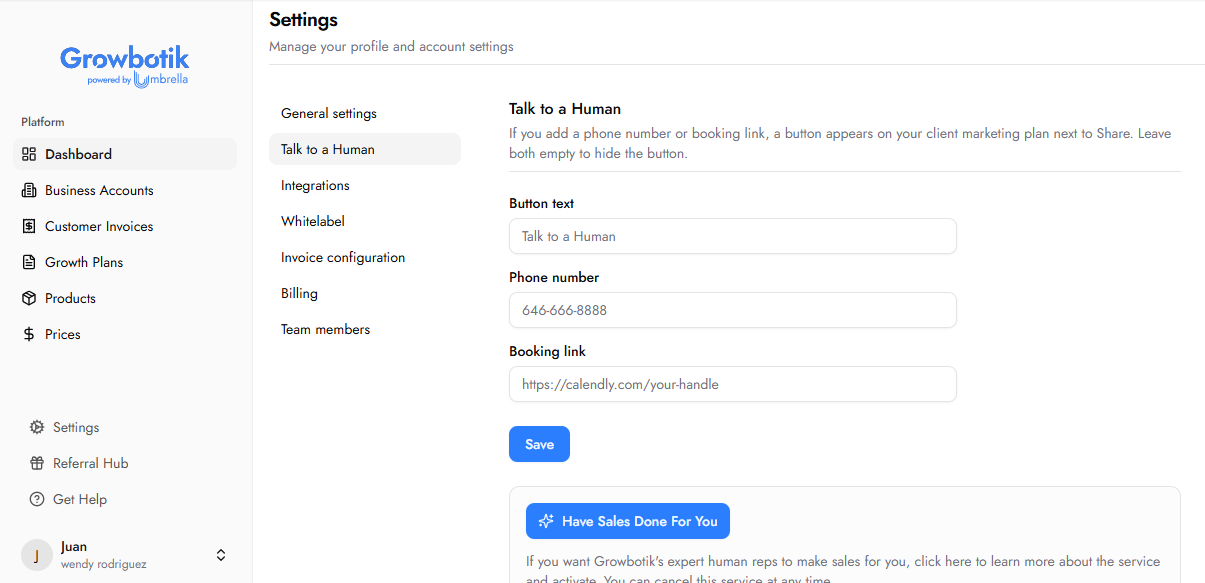
Configuring the Talk to a Human button connects prospects directly to you at the highest-intent moment in your sales funnel. When a prospect clicks the button on their Growth Plan, they are taken to your phone number or booking page.
Button Text: The label displayed on the button inside the prospect's Growth Plan. Defaults to "Talk to a Human." You can customise this to match your agency's tone.
Phone Number: A direct phone number prospects can call. When provided, clicking the button initiates a call to this number.
Booking Link: A URL for scheduling a meeting — for example, a Calendly link or any other booking page. When provided, clicking the button takes the prospect directly to your booking page.
You do not need to configure both fields. A booking link alone is sufficient. If both fields are left empty, the button does not appear on the Growth Plan at all.
Once configured, the Talk to a Human button appears on the Plan stage of your prospect's Growth Plan, alongside the Share button in the top right of the screen. This is the moment the prospect has already reviewed their full analysis and roadmap and is ready to take the next step — making it the highest-intent touchpoint in the entire prospect journey.

Click Save to apply your settings.
Sales Done For You is an optional service where Growbotik's expert sales team handles closing on your behalf. When a prospect clicks Talk to a Human on their Growth Plan, the conversation is routed to the sales team instead of you.
The sales team handles closing only. They do not chase leads, follow up with prospects, or handle no-shows. If a prospect ghosts or misses a meeting, the team will notify you by email so you can follow up and rebook.
The sales team operates under Umbrella Local, Growbotik's client-facing digital marketing brand. Your prospects will interact with them as Umbrella Local representatives, ensuring a professional and consistent experience.
Click the Have Sales Done For You button to begin the 3-step activation flow.
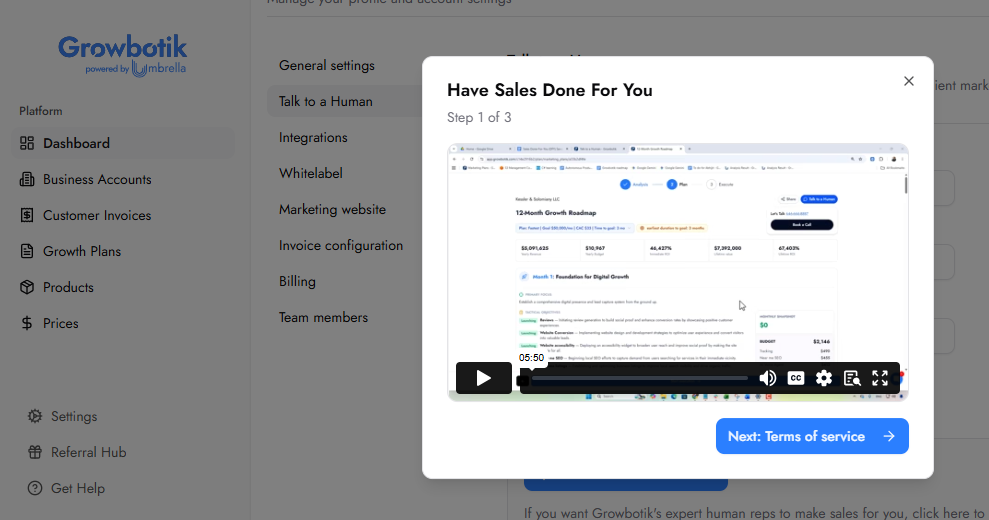
An overview of how the service works is presented in the first step. Review it in full before proceeding.
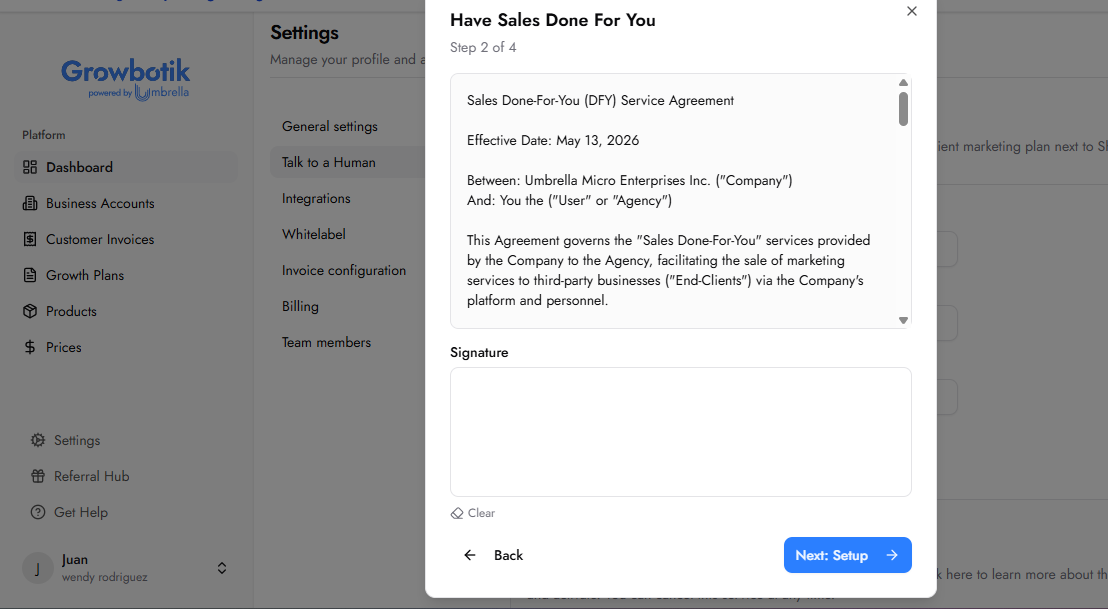
A Sales Done-For-You service agreement between you and Umbrella Micro Enterprises Inc. must be signed before activation. Review the terms carefully, sign using the signature field, and click Next: Setup to continue.
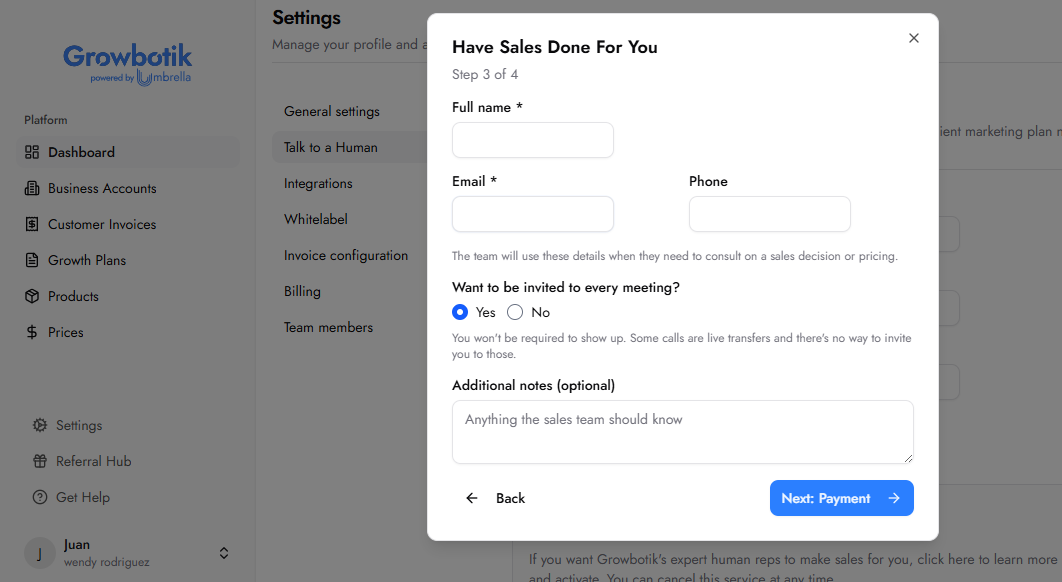
Fill in the following fields:
Full Name: Your full name. Used by the sales team when they need to consult on a sales decision or pricing.
Email: Your email address.
Phone: Your phone number.
Want to be invited to every meeting?: Select Yes or No. If Yes, you will be invited to sales meetings where possible. Note that some calls are live transfers and it is not possible to invite you to those.
Additional Notes: Any information the sales team should know about your business, clients, or preferences. Optional.
Click Activate to complete the setup.
Once active, a Sales Done For You is now active confirmation appears at the top of the page with a toggle. You can disable the service at any time using the toggle.
The Talk to a Human button appears on your prospect's Growth Plan once a phone number or booking link is saved.
When a prospect clicks the button, they are connected to you directly via your configured phone number or booking page.
If Sales Done For You is active, prospects who click Talk to a Human are routed to Growbotik's sales team, who handle the closing conversation on your behalf.
If a prospect no-shows or goes silent, the sales team notifies you by email so you can follow up and rebook.
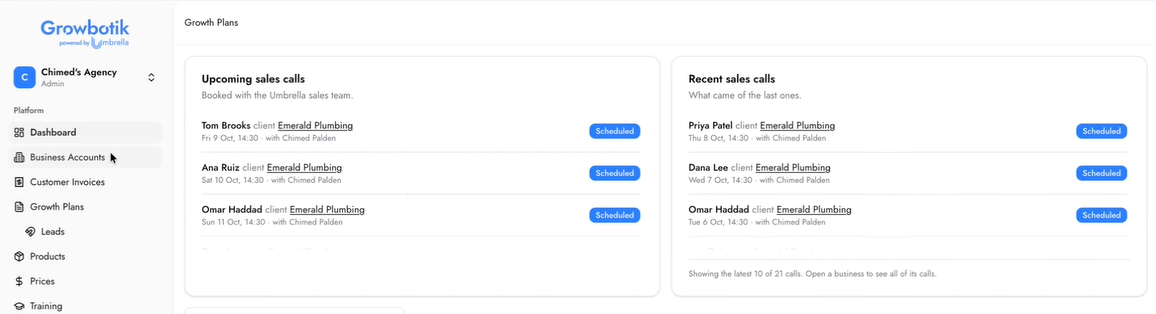
When you book a Done-For-You sales call with the sales team, you can track every scheduled and completed call directly inside your dashboard. On the dashboard page, two panels keep you up to date: Upcoming sales calls shows every call that has been booked with the sales team and has not yet taken place, and Recent sales calls shows what came of the last ones. Each entry displays the client name, the business they belong to, the scheduled date and time, and the current status.
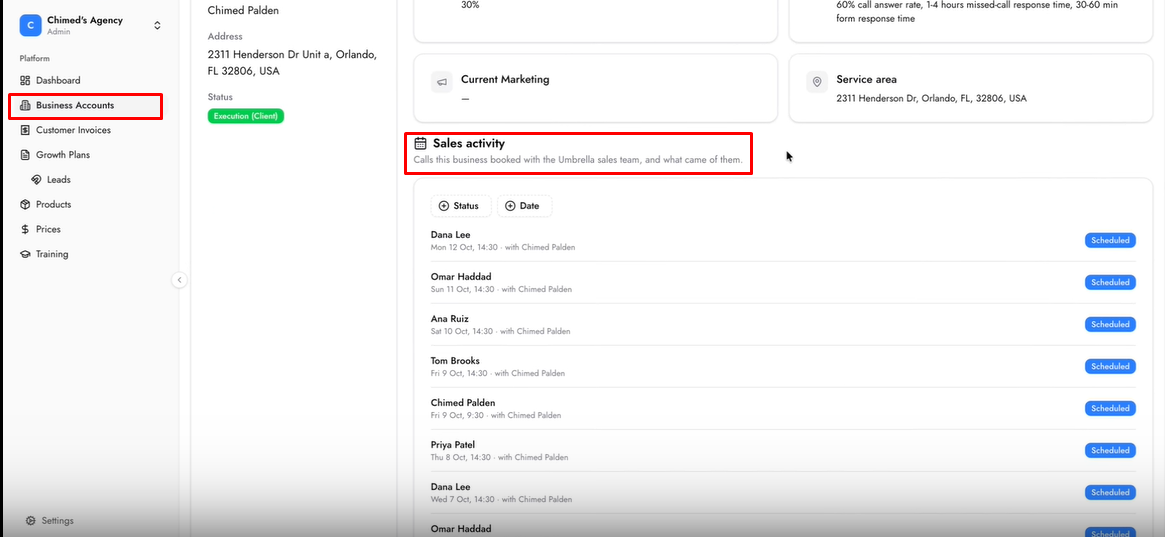
You can also view sales activity at the individual business level. Open any business from the Business Accounts page and scroll to the Sales activity section at the bottom. This section shows every call booked for that specific business, along with notes and outcomes recorded by the sales team after each call. You can sort by Status or Date to find what you need.
Can prospects book the sales team directly?
Yes, but only after you have engaged and prospected them first. For a lead, open its Outreach tab, click Book a call with the sales team, and send that booking link to the prospect. Then add a sales note. See Done-For-You Sales. For Growth Plans, prospects can reach the sales team through the Talk to a Human button once Sales Done For You is active on the plan.
How do I join a sales meeting?
It depends on the product. For Growth Plans, answer Yes to "Want to be invited to every meeting?" during setup. Live transfers cannot include you. For Wix websites, add a note to the sales team inside the system letting them know you would like to be invited to the meeting, and the team will add you to the booking.
What does Sales Done For You cost?
It is free for all members for a limited time. When the sales team closes a deal, it keeps 20% of your net profit from that deal, for as long as the client stays.
