Overview We’ve created a high-quality, client-facing promotional video designed to help you easily pitch your services and convert more prospects. The video is completely white-labeled, meaning you can take full ownership of the content and present it as your own.
How to Customize Your Video You have complete freedom to edit the video however you see fit so it perfectly matches your agency’s brand. Here are a few ways to personalize it:
Add Your Logo: Drop your agency’s logo into the corner of the video as a permanent watermark.
Create an Intro & Outro: Add a custom title screen at the beginning and a strong call-to-action (like your website URL or phone number) at the end.
Modify the Audio: Feel free to add your own voiceover, change the background music, or trim specific sections to fit your narrative.
Where to Deploy It To get the most out of your new asset, we recommend using it in the following places:
Your Growbotik Agency Site: Embed it directly on your homepage to instantly capture visitor attention.
Social Media Campaigns: Post the video across LinkedIn, Facebook, or Instagram to generate new leads.
Sales Outreach: Link the video in your cold emails or send it to prospects as a quick explainer before they book a call.
Replacing the Homepage Video
To replace the current video on your Growbotik agency website template with the new promotional video, follow the steps below.
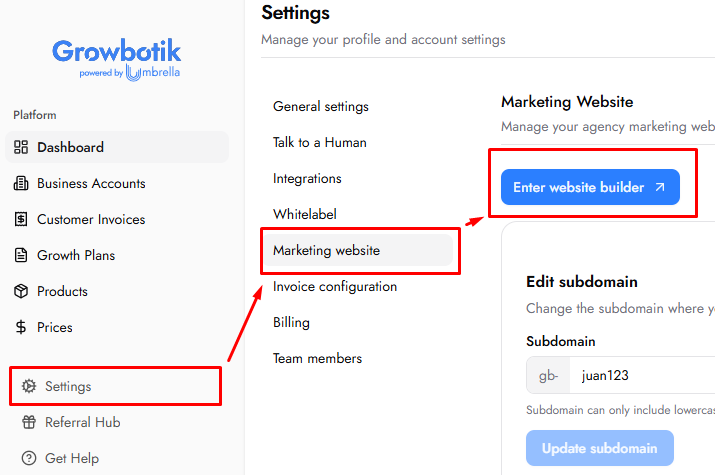
Step 1: Log in to your Growbotik dashboard and navigate to Settings.
Step 2: Select Marketing Website and click the button to open your website builder.
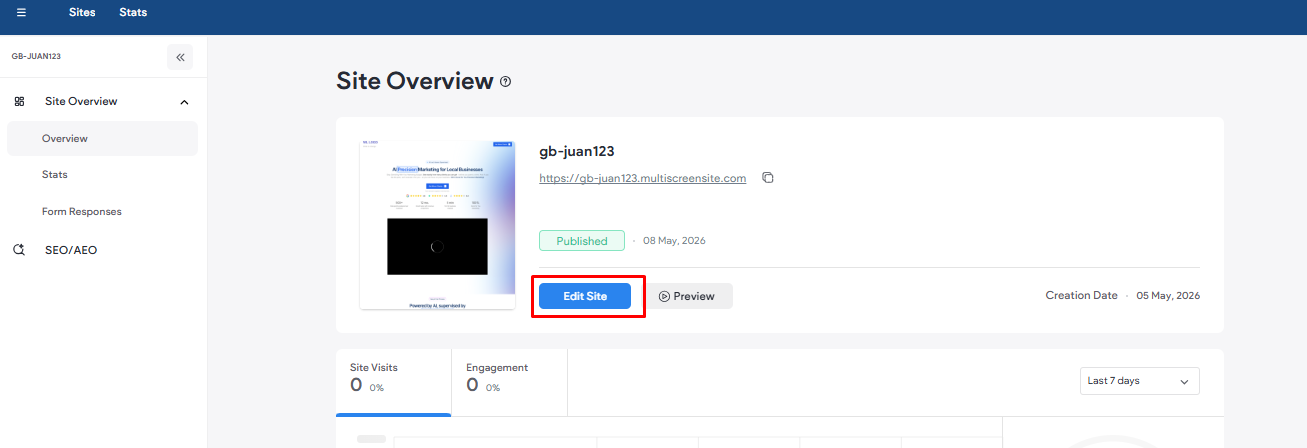
Step 3: On the Duda dashboard, click Edit Site to enter the site editor.
Step 4: Click on the video module, then click Manage Video.
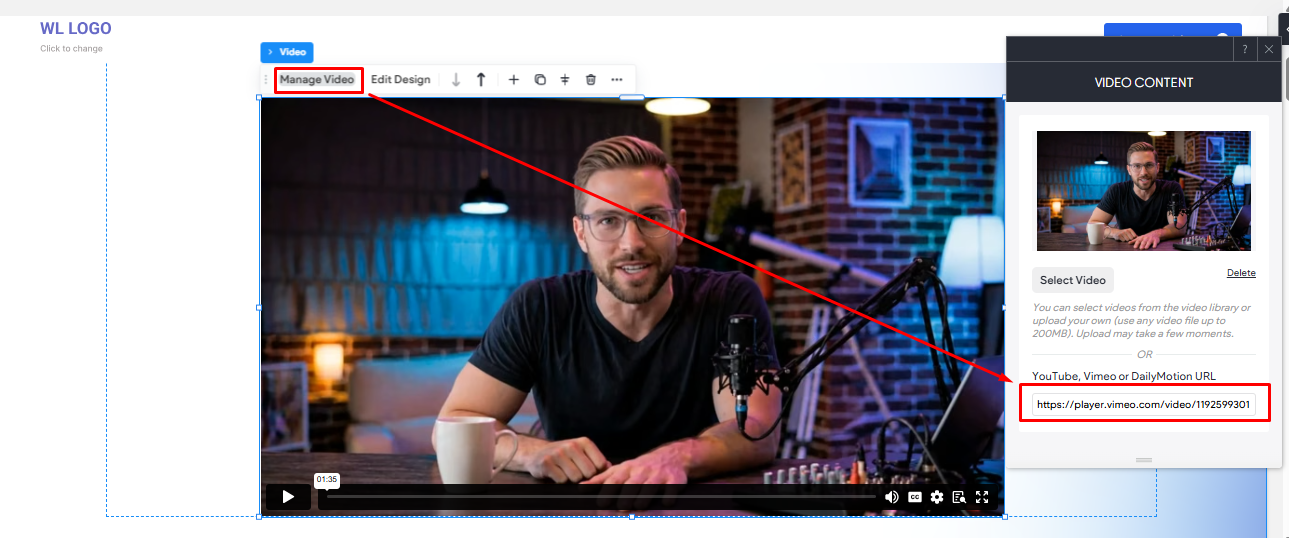
Step 5: Replace the existing link with the following URL: https://vimeo.com/1192599301
Step 6: Close the Manage Video pop-up.
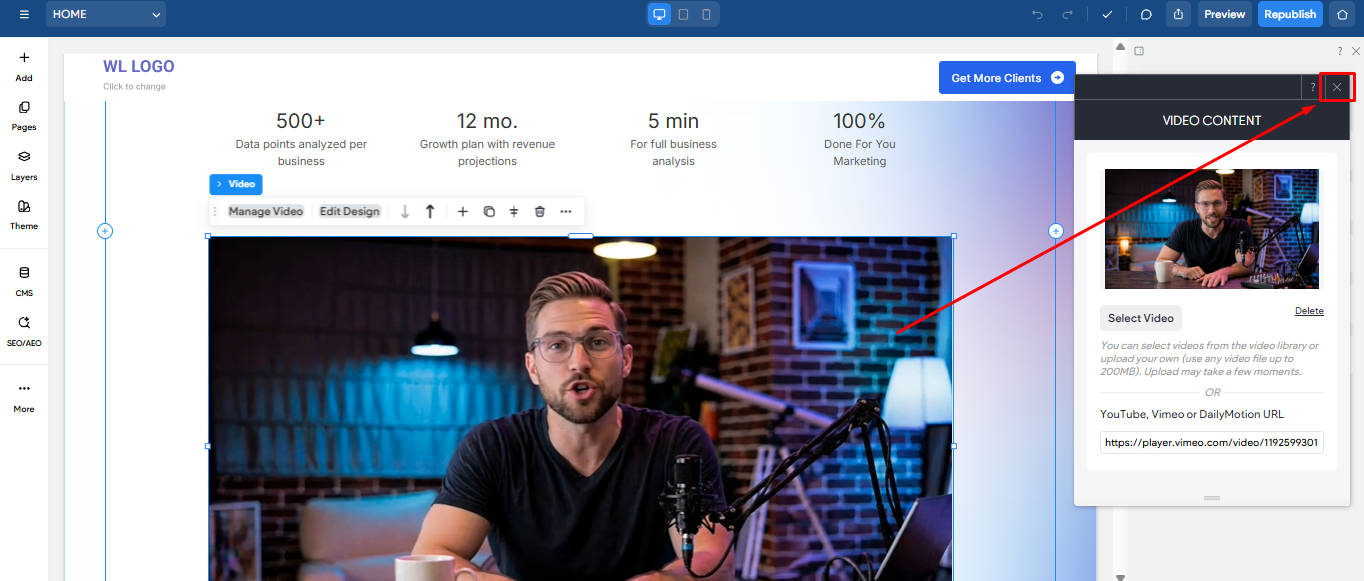
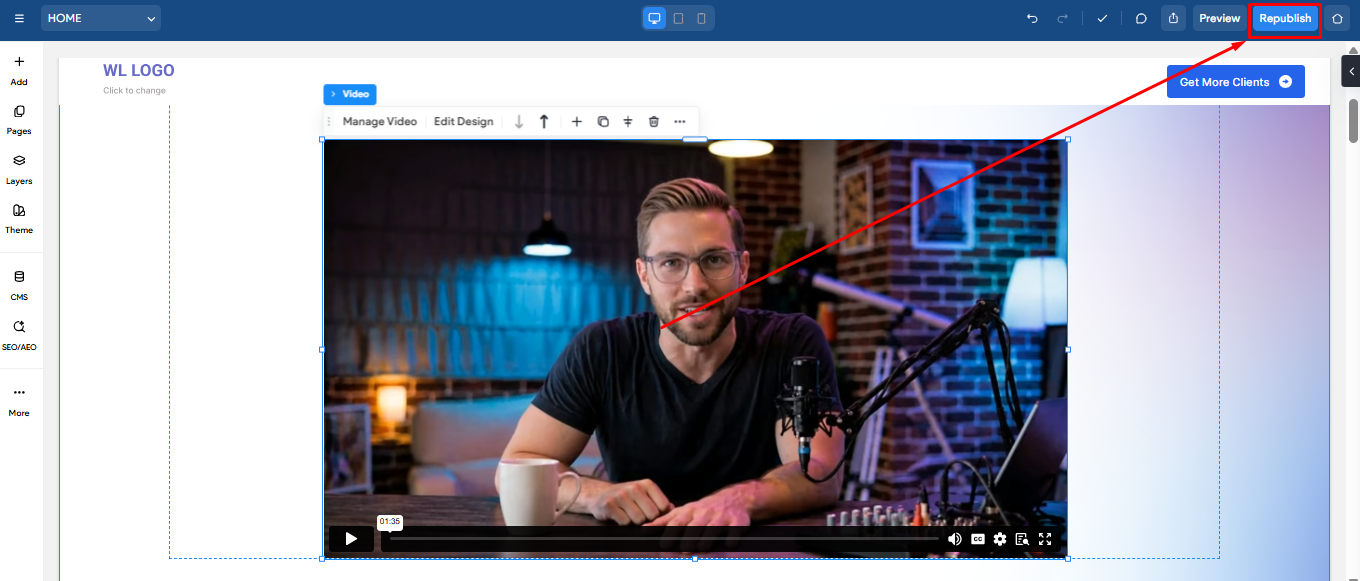
Step 7: Click Republish in the top right corner of the site editor to apply the changes to your live site.