
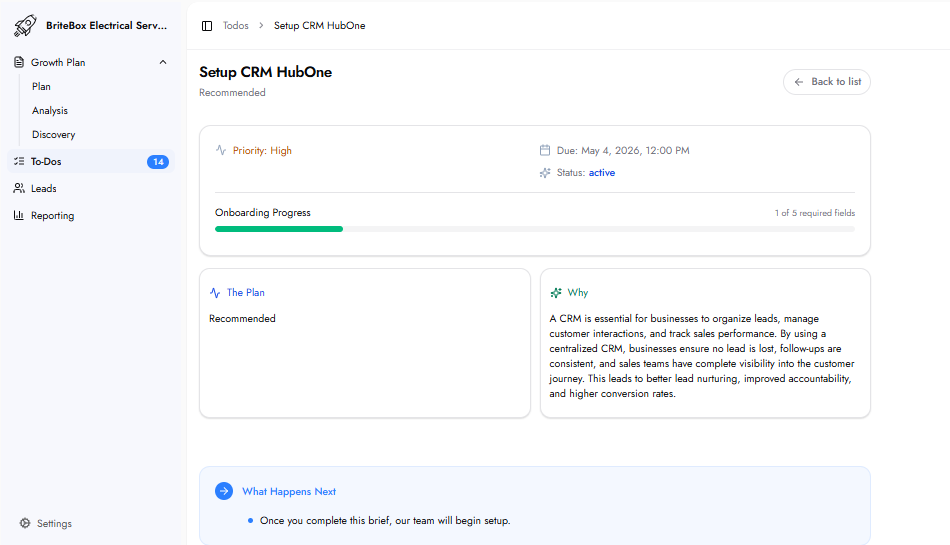
The Plan
This task sets up HubOne, the platform’s CRM solution, for businesses that do not currently have a CRM in place. HubOne provides a centralized system to organize leads, manage customer interactions, and track sales performance from a single dashboard.
Why This Matters
A CRM is essential for organizing leads, managing customer interactions, and tracking sales performance. A centralized system ensures no lead is lost, follow-ups remain consistent, and full visibility into the customer journey is maintained.
This improves lead nurturing, accountability, and overall conversion rates.
Who Is HubOne For?
HubOne is designed for businesses without an existing CRM.
If a CRM is already in use, integration is handled through the Automated CRM Workflows To-Do instead. In those cases, HubOne typically does not appear in the To-Do list.
What HubOne Includes
HubOne provides:
Centralized lead dashboard — all leads from calls, forms, and social channels in one place
Customer profiles — complete interaction history for each contact
Unified inbox — email and SMS communication in a single view
Sales pipeline management — track deals across stages
Scheduling and appointment management
Invoicing capabilities
Automated workflows — instant follow-ups and reminders
What Happens Next
The team begins setting up HubOne based on the provided information.
Frequently Asked Questions
What happens if a CRM is already in place?
If a CRM is already used, HubOne typically does not appear in the To-Do list. Instead, automation is integrated into the existing system.
How is HubOne different from other CRMs?
HubOne is designed specifically for local service businesses using the platform. It integrates directly with tracking, automation, and reporting systems without requiring additional setup or third-party integrations.