
What is the Leads Section?
The Leads section is the centralized lead log inside the Customer Hub. Every lead captured through any platform-managed channel appears here automatically and in real time — no manual entry required. This includes leads from Google Ads, organic search, Google Business Profile, Facebook Ads, phone calls, onsite chat, chatbot conversations, GBP chat, and any other marketing effort being managed.
What You Can See in the Leads Section
The Leads section displays a filterable, searchable table of all captured leads. Each lead entry shows the lead ID, date and time, name, phone number, email, lead type, and the channel it came from. Filters are available for date range, lead type, and channel, along with search by name, email, or phone number.
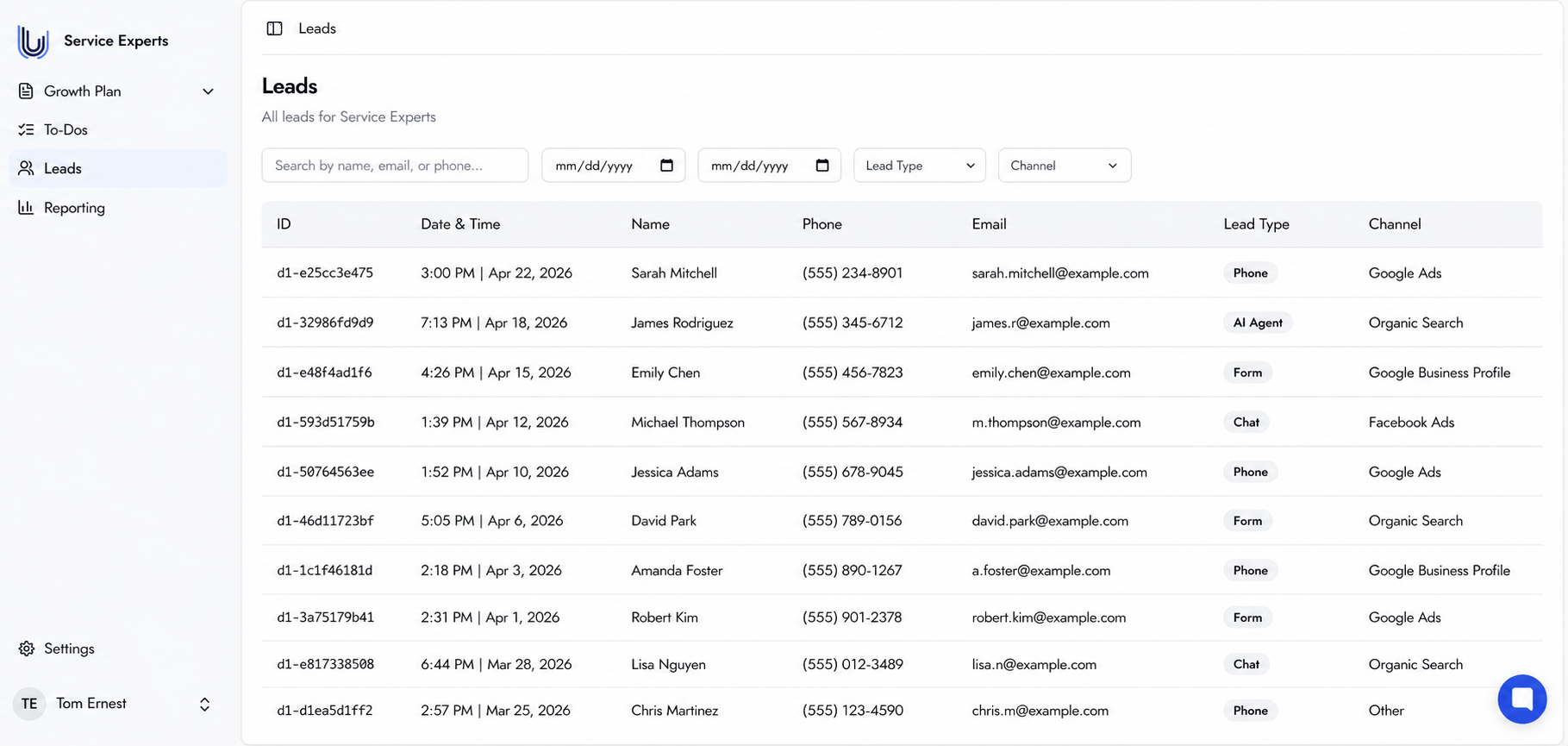
The Leads table — all leads captured across every active channel, updated in real time.
Individual Lead Details
Clicking on any lead opens its detail page, which shows the full interaction history for that contact. Depending on the lead type:
Phone leads — access the full call recording and the AI-generated text transcript of the conversation.
Form leads — view all submitted form fields, whether from a landing page or an external website.
Chat leads — review the full chat transcript from chatbot, onsite chat, or GBP chat interactions.
Every interaction is logged automatically. No manual effort is required to capture or organize this data.
When Leads Start Appearing
Leads begin appearing once the Tracking system is live and active. The page will show no results until tracking is configured and the first lead is captured. Completing the Setup Tracking To-Do is required before leads appear.
Frequently Asked Questions
Is any action required to capture leads here?
No action is required. Leads are captured and logged automatically by the Tracking system once it is live.
Are leads also sent to a CRM?
Yes — if a CRM is connected through the Automated CRM Workflows To-Do, leads are automatically pushed to the CRM as well.
Can leads be exported?
Lead export functionality is planned for a future release and is not yet available in the current version of the Customer Hub.
Can notifications be set up for new leads?
Yes. Notifications can be configured in the Settings section under Lead Notifications or through the Lead Notification Preferences To-Do. Up to three email addresses can be added to receive alerts when a new lead is generated.