Overview
The Customer Hub is the client portal where everything happens after the sale. It is the space where your customers view their Growth Plan, complete the tasks required to launch their marketing services, see the leads being generated, and track performance over time through structured reporting. It consolidates fulfillment, leads, and reporting into one place, giving both you and your clients clear evidence of results without assembling disconnected tools, spreadsheets, or manual updates.
The Customer Hub is organized into six sections, accessible from the left navigation.
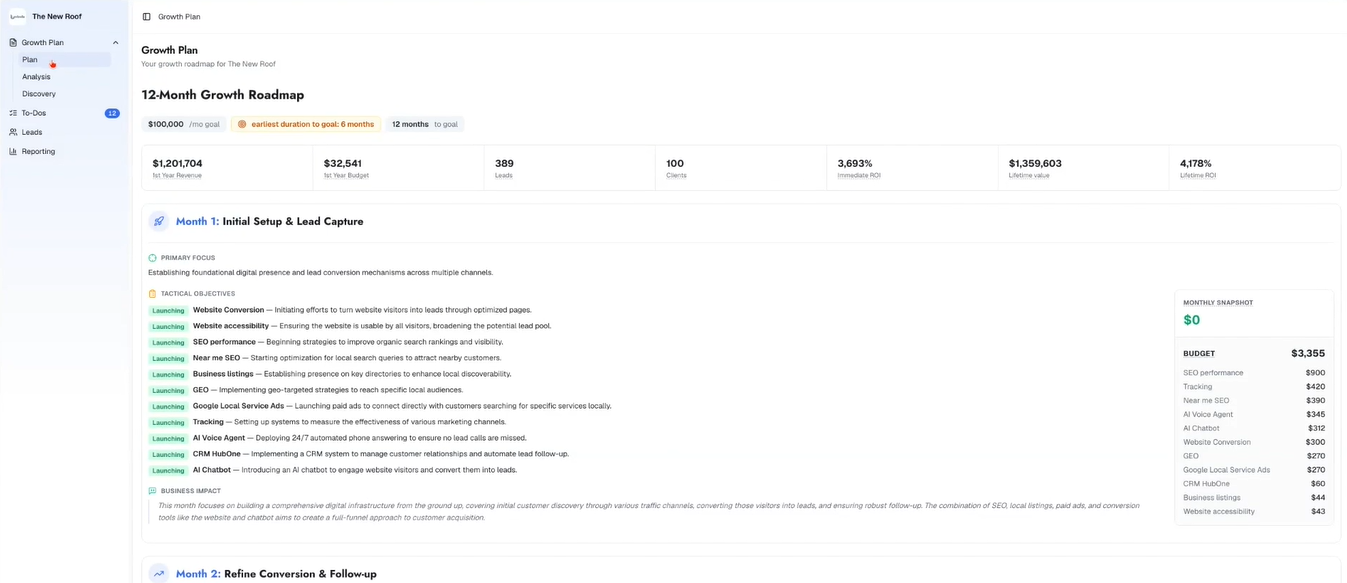
Growth Plan contains three sub-sections. Plan shows the 12-Month Growth Roadmap the client purchased, including monthly revenue projections, budget breakdowns, tactical objectives, and service status labels for each month. Analysis displays the Marketing Gap Analysis, which evaluates the client's current marketing performance across Conversion, Traffic, and Follow Up categories, scoring each channel out of 100 and showing the projected uplift available. Discovery shows the business information gathered during the original intake conversation, including the client's revenue goal, services, economics, closing rate, response times, current marketing setup, and service area. Together, these three sections give the client the full context and rationale behind their plan.
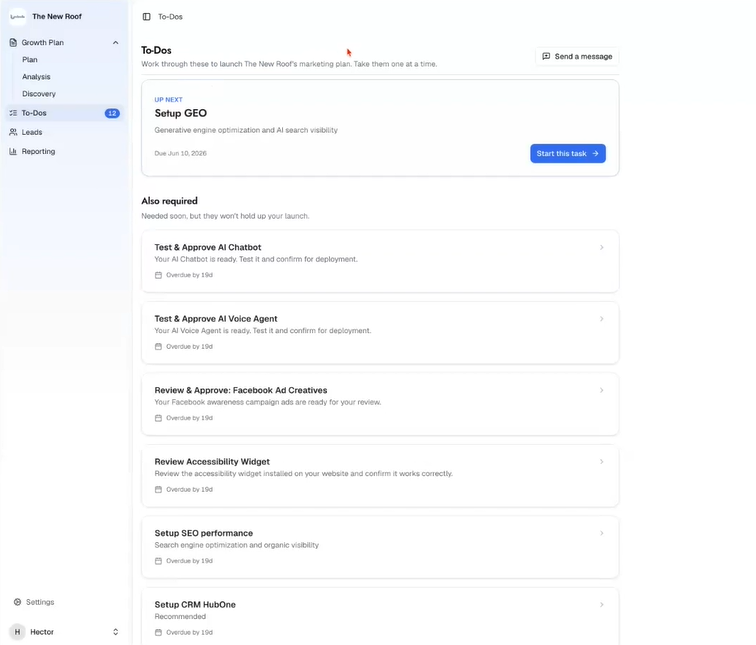
To-Dos is where the client completes the tasks required to launch each service in their Growth Plan. The To-Do list is generated automatically based on the services included in the plan. Each To-Do collects specific information Growbotik needs to begin setup, such as account credentials, business details, or content approvals. The list is prioritized with the most urgent task shown at the top as "Up Next," followed by additional required tasks below. The services defined in the Growth Plan may require information from the client, such as logins, details, and other items, and those are turned into specific trackable tasks here for the client to complete easily.
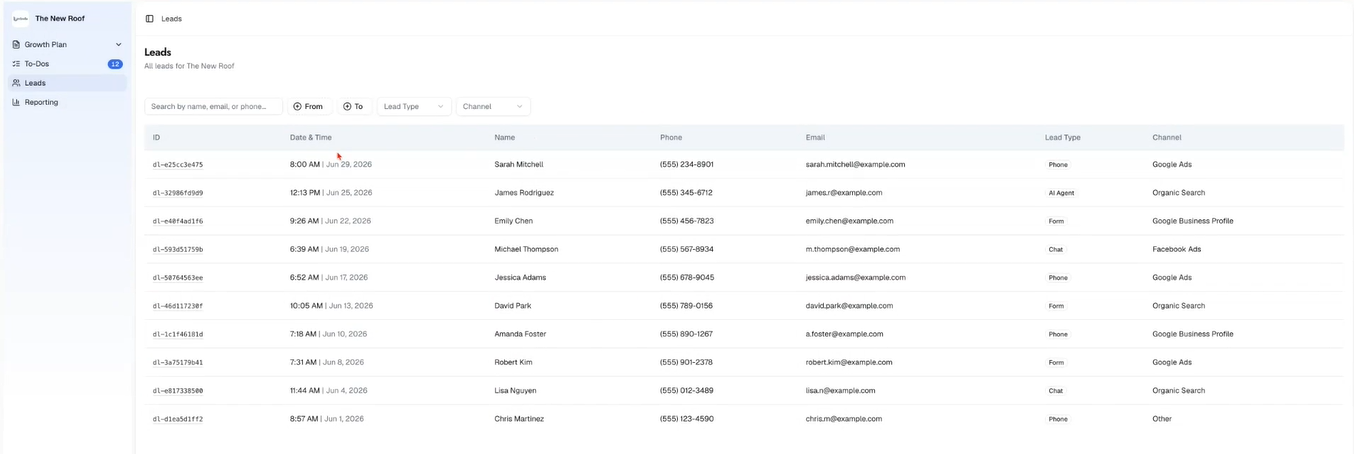
Leads is the centralized lead log. Every lead captured through any Growbotik-managed channel appears here automatically and in real time. The table is searchable and filterable by date range, lead type, and channel, and displays the lead ID, date and time, name, phone number, email, lead type, and the channel it came from. This section is the most direct proof that the plan is performing, because results speak louder than any update you could write.
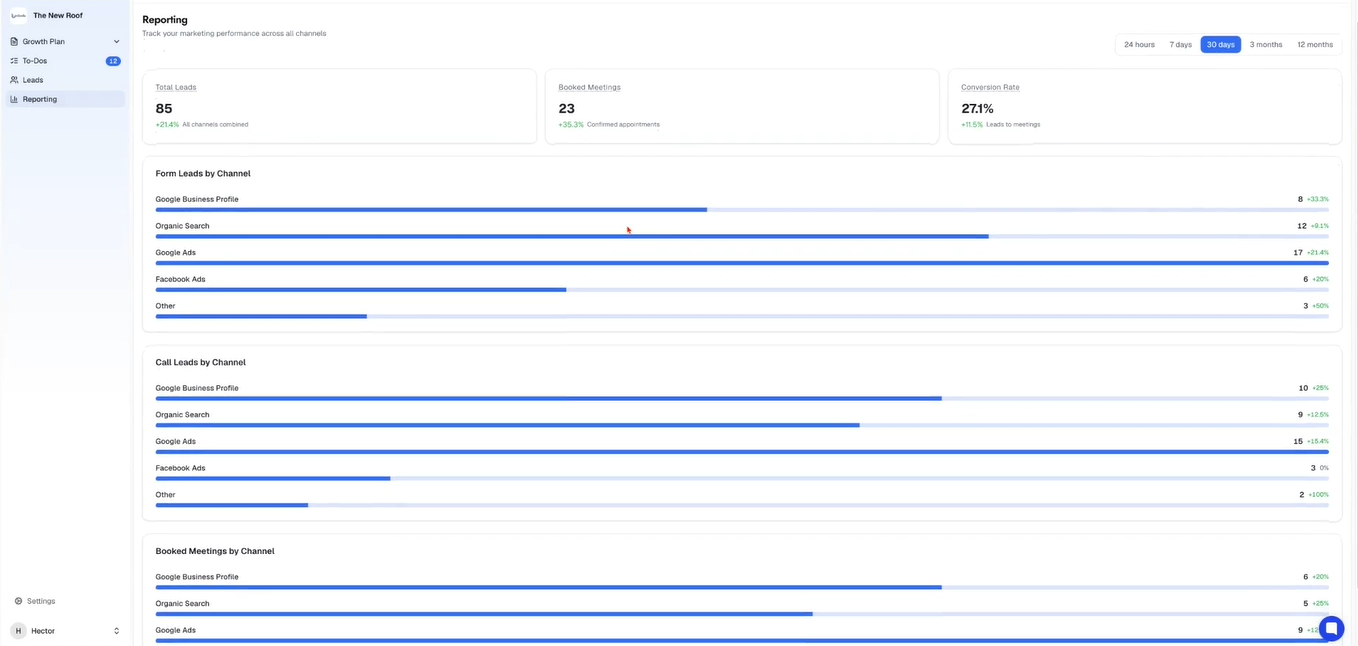
Reporting tracks marketing performance across all active channels in a clear, structured format. Three headline KPI cards show Total Leads, Booked Meetings, and Conversion Rate, each with a percentage change versus the previous period. Below the KPIs, leads are broken down by channel across three sections: Form Leads by Channel, Call Leads by Channel, and Booked Meetings by Channel. A time-range filter lets the client switch between 24 hours, 7 days, 30 days, 3 months, and 12 months. Reporting is available continuously and powers regular check-ins, keeping the value of your work visible.
Settings is where the client manages their integrations and lead notification preferences.
As an agency, you can view each client's Customer Hub directly by going to Business Accounts, clicking on the client, and selecting Switch to Business View. This allows you to navigate their hub exactly as they would, help them complete To-Dos, review their leads, listen to call recordings, and provide hands-on support without needing them to share their screen or login credentials. This access is completely invisible to the client.
