The Discovery Chat is your starting point for every client relationship in Growbotik. This guided AI conversation streamlines client intake, helping you qualify prospects efficiently and build a foundation for the rest of your workflow.
Step 1: Open the Prices page from the left navigation.
Step 2: Find the pricing group you want to use and click the link icon to copy the plan link.
Step 3: Share the copied Discovery Chat link with your prospect via email, SMS, or direct message.
How It Works
The prospect opens the link in their browser — no account setup is needed. The conversation is designed to feel fast, engaging, and valuable from the first message.
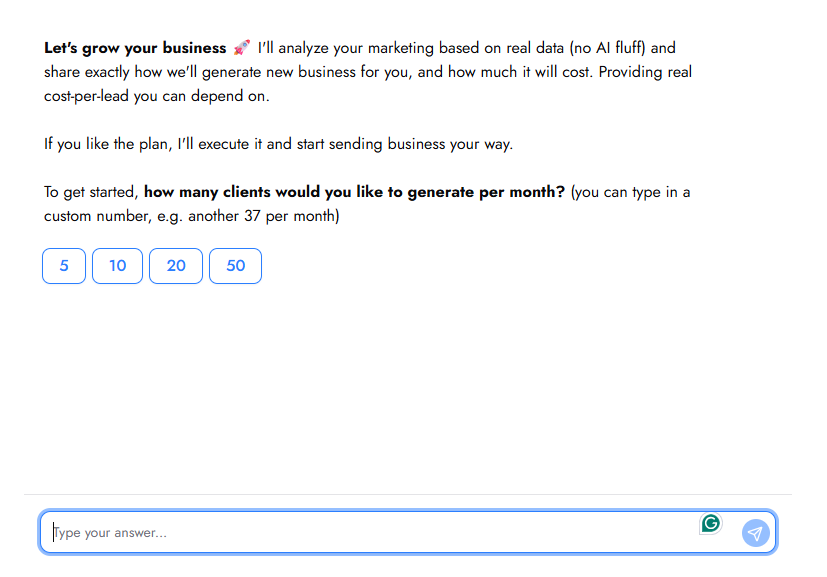
The chat opens by asking how many clients the prospect would like to generate per month. From there, it collects their name, website URL, and email address. Most questions use quick reply buttons so the prospect can tap an answer rather than type, keeping the experience moving.
The chat then asks whether the prospect has a Google Business Profile. If they do, it collects their business name as it appears in the GBP, their HQ address, and offers the option to add up to four additional service areas.
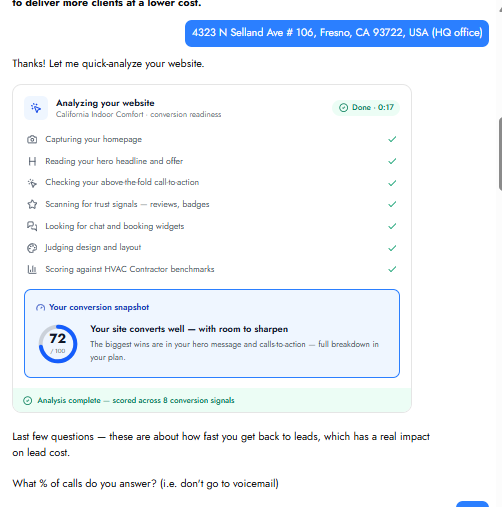
Once the basic information is collected, the chat runs a series of live analyses directly inside the conversation — there is no separate loading screen or wait time. Each analysis displays an animated progress checklist so the prospect can follow along in real time.
Website Analysis
The system analyzes the prospect's website for conversion readiness — capturing the homepage, reading the hero headline and offer, checking above-the-fold calls to action, scanning for trust signals, looking for chat and booking widgets, judging design and layout, and scoring against industry benchmarks. The prospect receives a conversion snapshot with a score out of 100 and a brief summary of the biggest opportunities.
Speed to Lead
The chat asks three questions about how quickly the prospect responds to incoming leads: what percentage of calls they answer, how quickly they return missed calls, and how fast they respond to form submissions or email inquiries. All three use quick reply buttons. After the answers, the chat delivers an instant insight showing how much their current response time is costing them in lost leads.
Keyword Analysis
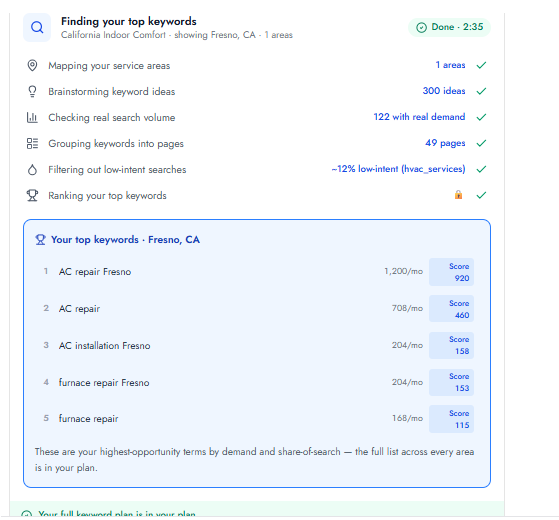
The system maps the prospect's service areas, brainstorms keyword ideas, checks real search volume, groups keywords into pages, and filters out low-intent searches. The prospect sees the full process streaming live and receives their top five keywords ranked by demand and share of search, each with monthly search volume and a score.
Reviews
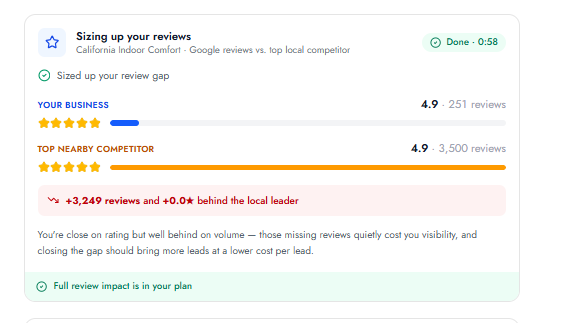
The system compares the prospect's Google review rating and count against their top local competitor, showing the gap in volume and star rating.
Google Maps Ranking
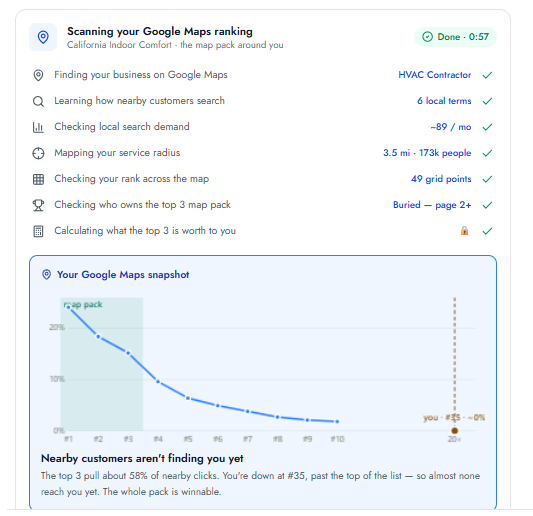
The system finds the prospect's business on Google Maps, checks local search demand, maps the service radius, checks rank across a grid of points, and identifies who currently holds the top three map pack positions. The prospect sees a chart showing where they rank and what the top positions are worth.
AI Search Visibility (GEO)
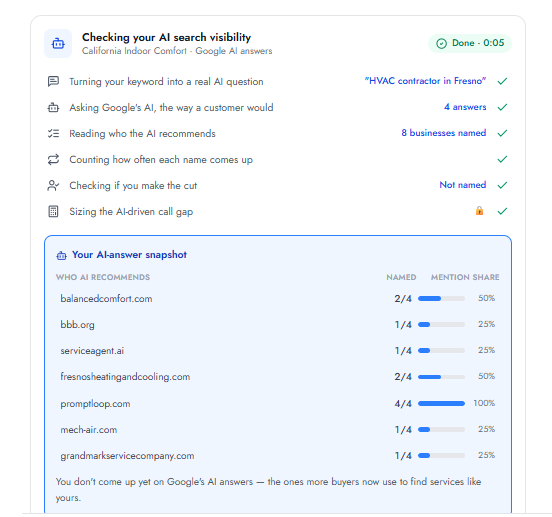
The system turns the prospect's keyword into a real AI-generated question, checks which businesses Google's AI recommends, counts how often each business is named, and shows whether the prospect appears in those results. The prospect sees a table of competitors with their mention share.
Google Ads Audit
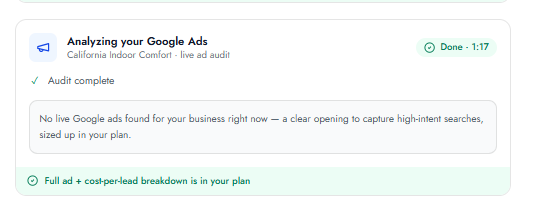
The system checks whether the prospect is currently running Google Ads and evaluates any live ads found, delivering a score and breakdown.
Once all analyses are complete, the chat presents a summary — confirming how many new clients it has mapped out based on the full gap analysis — and a button to review the Impact Report.
The Discovery Chat automates your client intake and delivers a complete marketing analysis in a single conversation. The prospect answers a short series of questions — most using quick reply buttons — while the system runs live analyses of their website, keywords, Google Maps ranking, reviews, AI search visibility, and Google Ads directly inside the chat. By the end, the prospect has seen real data about their business and is presented with a button to review their full Impact Report. The chat launches from a pricing group link, carries your rates automatically, and produces the business profile and analysis that power the rest of Growbotik.
