For users whose country is not supported by Stripe. If Stripe is already available in your country, you do not need this guide.
Stripe is not available for direct sign-up in every country. If your country is unsupported, Stripe Atlas is Stripe's official paid service that allows you to form a US LLC, obtain a US tax ID (EIN), and activate a US Stripe account from anywhere in the world. It is not a standard part of the Stripe signup process and is not needed if Stripe is already available in your country. The application takes approximately 5 minutes and costs $500.
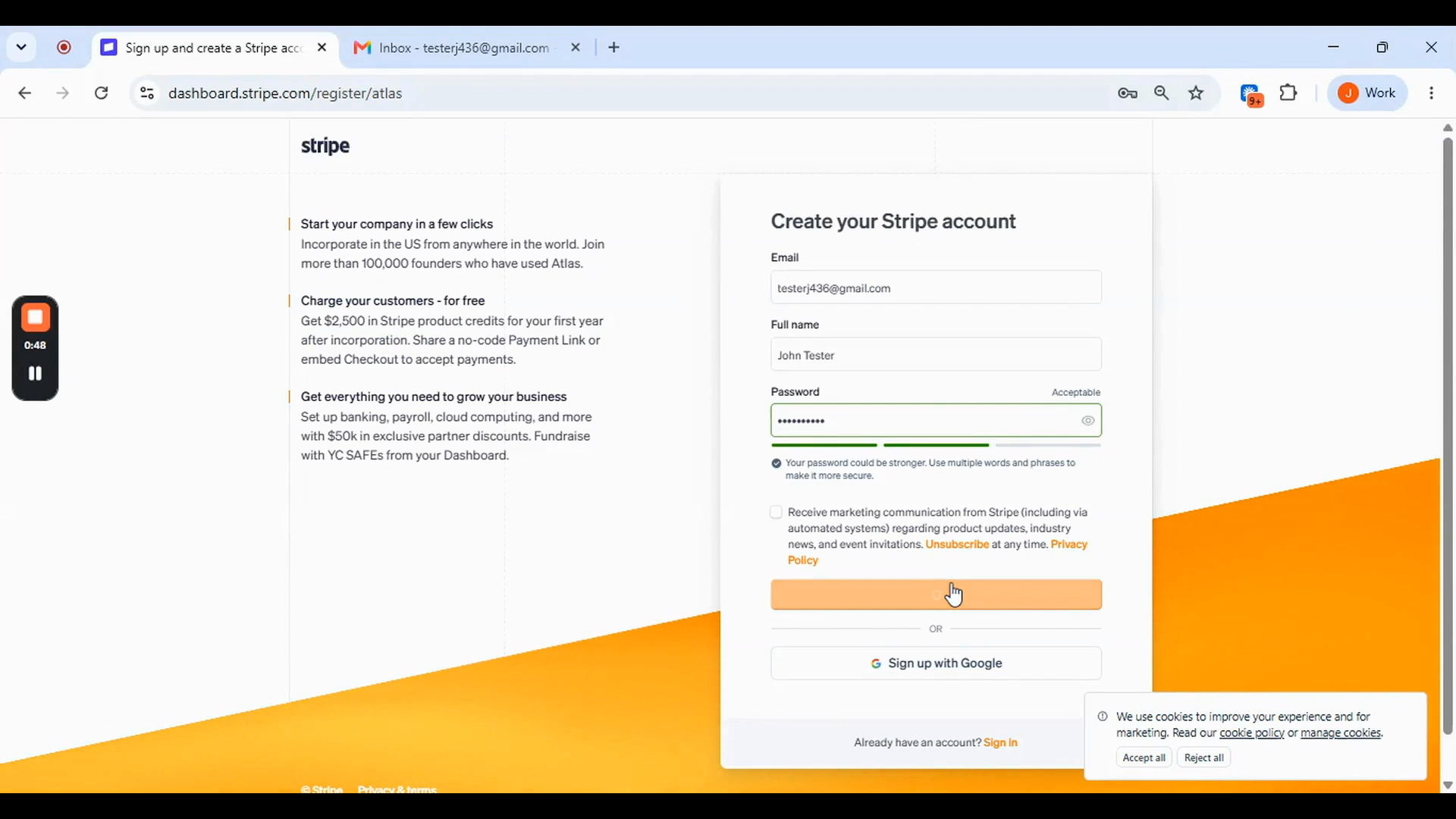
Go to dashboard.stripe.com/register/atlas — use this exact URL, not the standard Stripe signup page. Fill in your details, create your account, and verify your email when prompted.
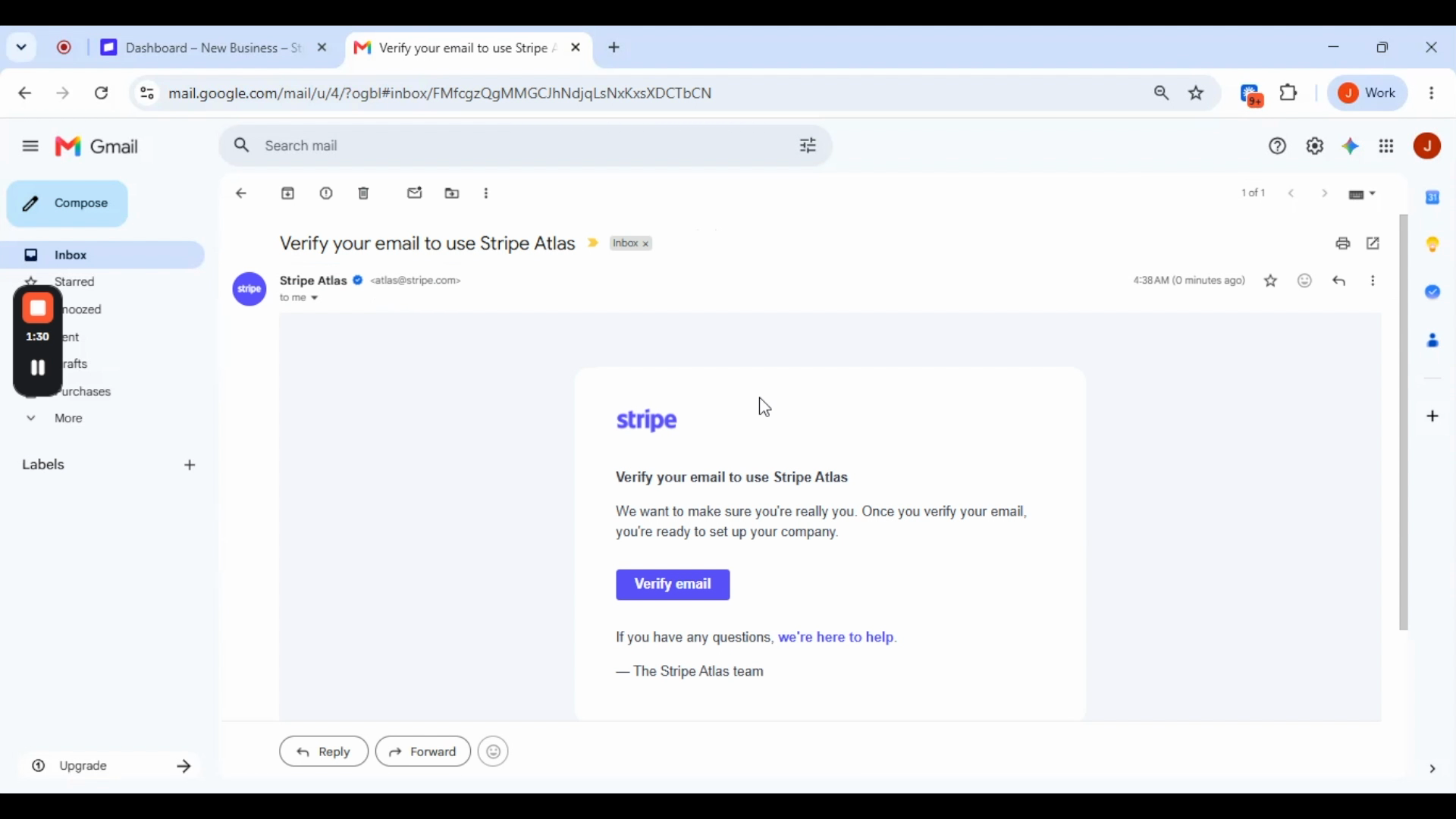
Click Let's Go. Select LLC and click Next.
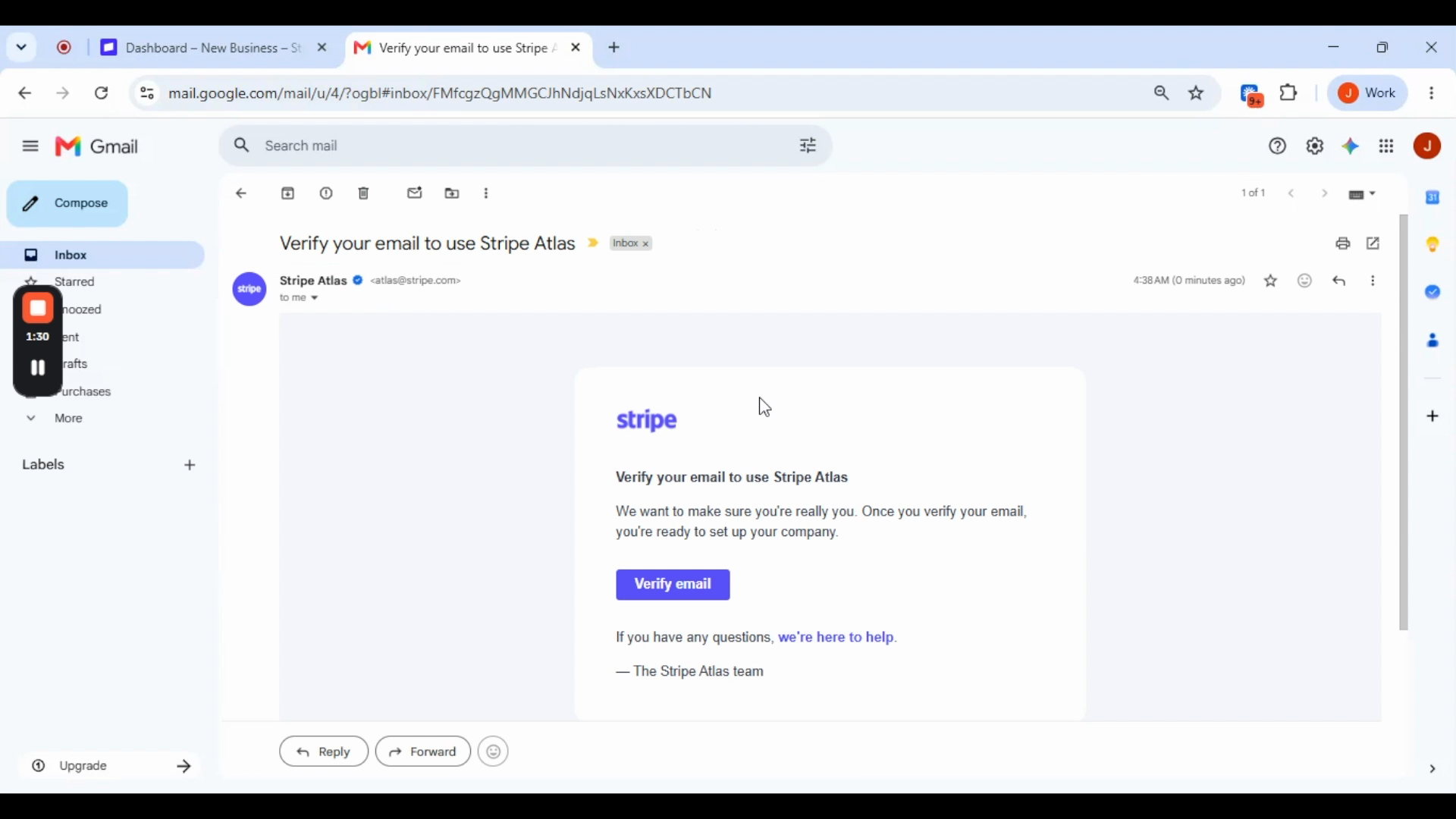
Enter your desired company name. Stripe checks Delaware availability in real time. Do not type 'LLC' — it is added automatically. Click Next.
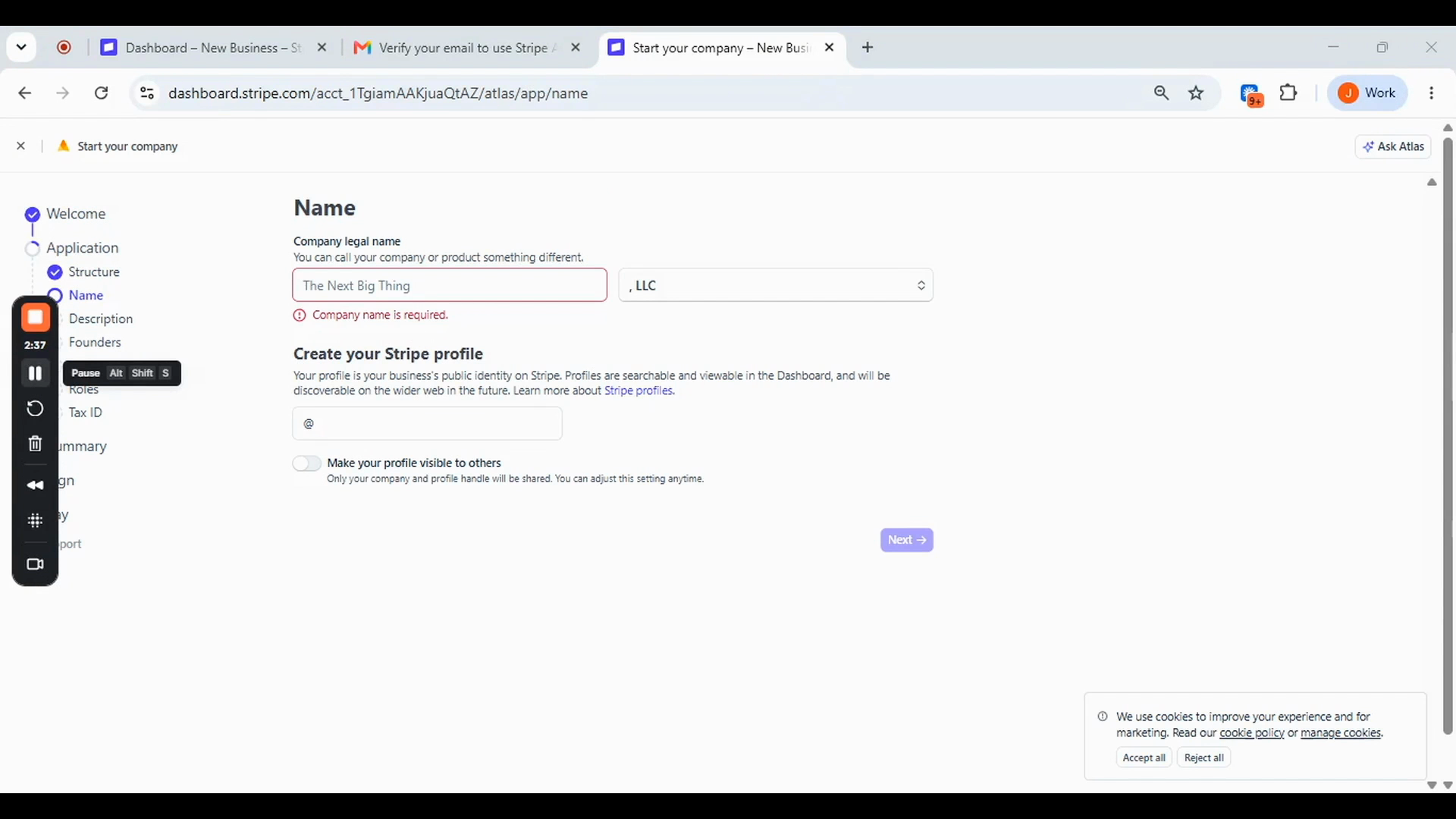
Write one to two sentences describing what your business does. Add your website or any social profile link. Click Next.
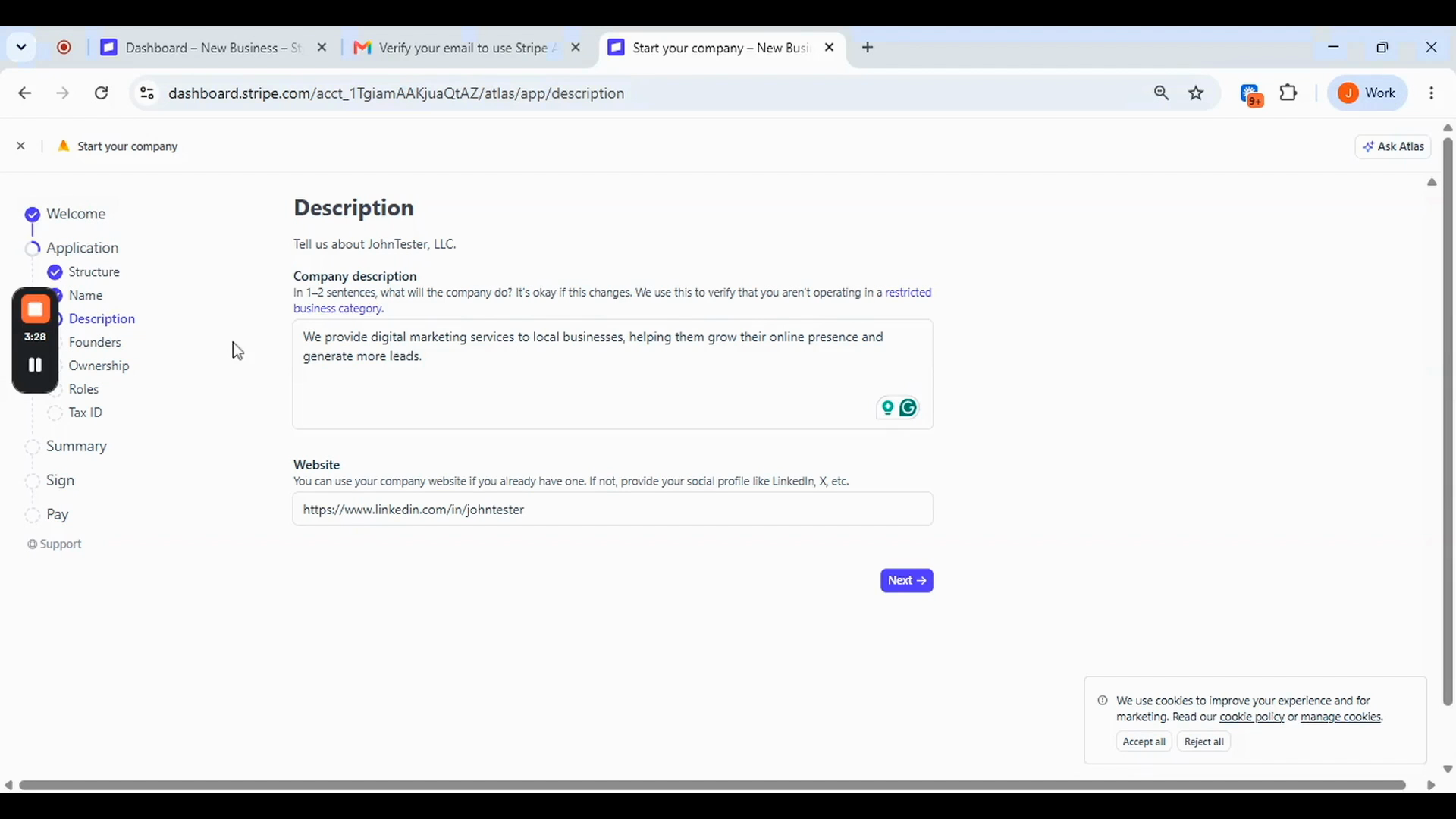
Enter your full legal name as it appears on your government ID, your date of birth, and your home address. Stripe accepts any country — select your actual country of residence. Leave the co-founder section empty if you are the sole owner. Click Next.
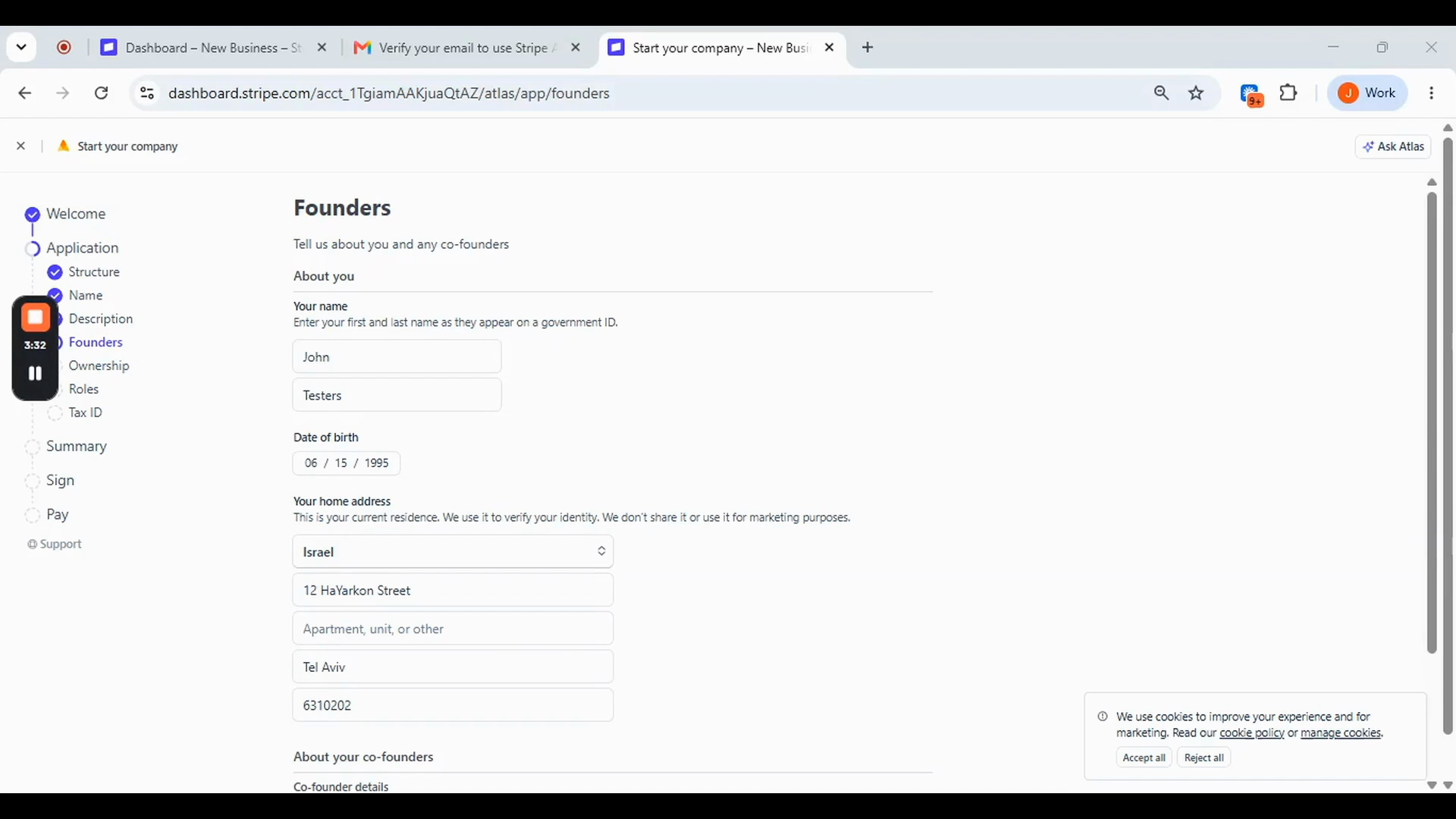
Your ownership percentage defaults to 100% for a single-member LLC. Nothing to fill in. Click Next.
You are automatically set as the company Manager. Nothing to change. Click Next.
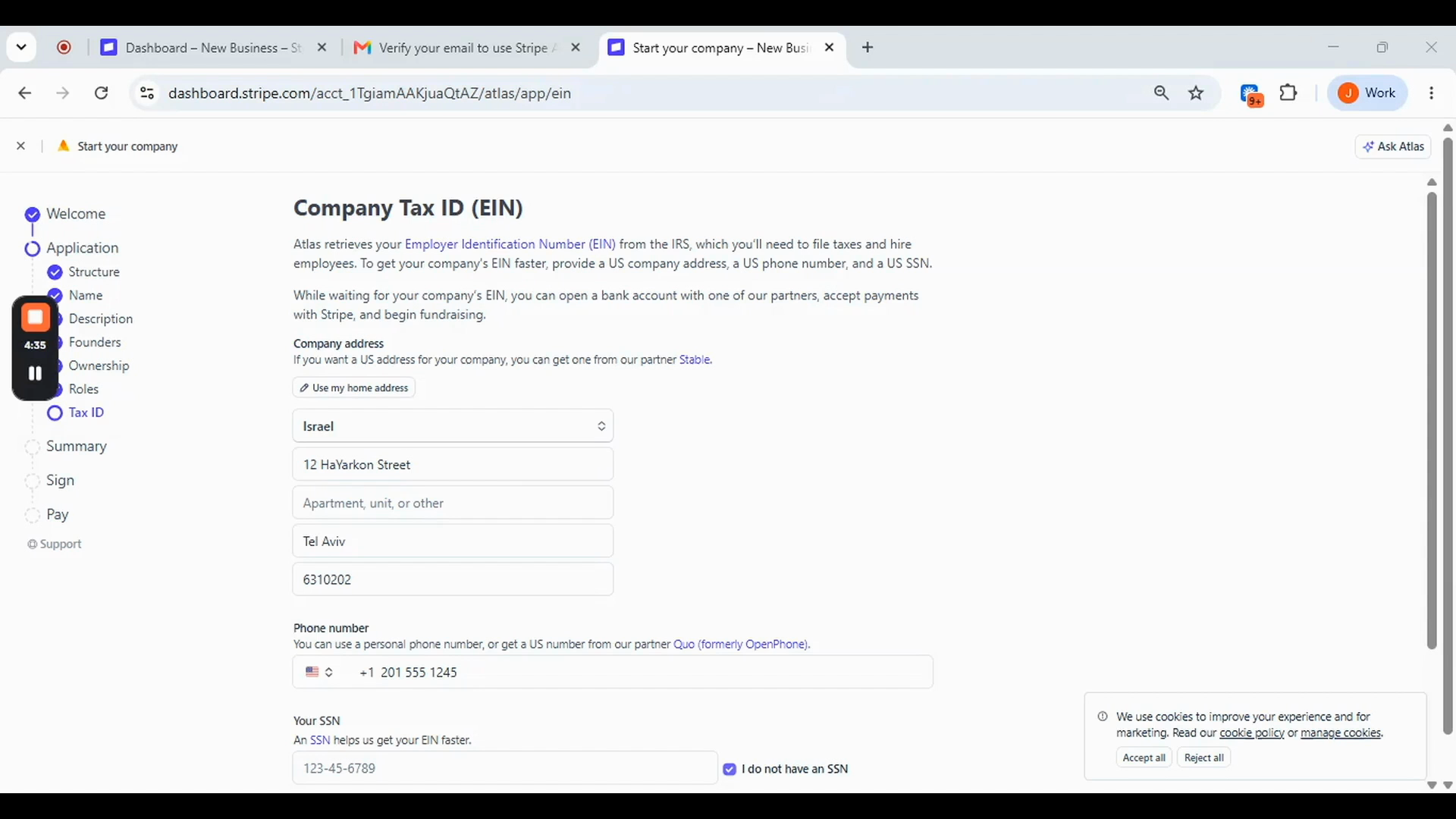
Three fields on this screen:
Company address: Use your home address, or get a US address through Stripe's official partner Stable — linked directly on this screen.
Phone number: Your personal number, or a US number via Stripe's official partner Quo (formerly OpenPhone) — also linked on this screen.
SSN field: If you do not have a US Social Security Number, tick 'I do not have an SSN' and the field disappears. You do not need an ITIN to proceed.
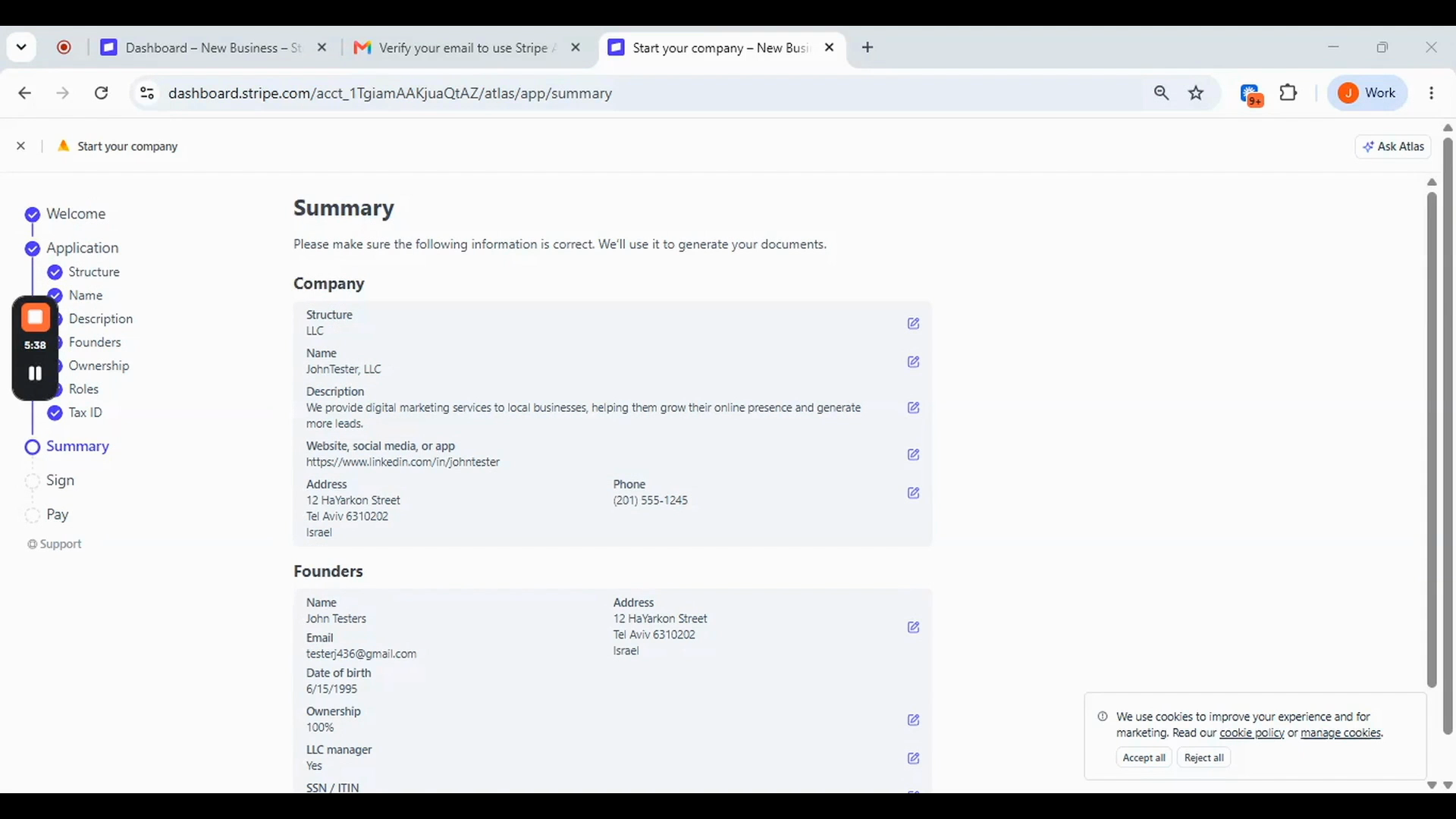
Step 9 — Review the Summary
Review all your details before proceeding. Every field is editable from this screen. The SSN / ITIN field will show 'Does not have' if you ticked the box — this is correct. Click Next.
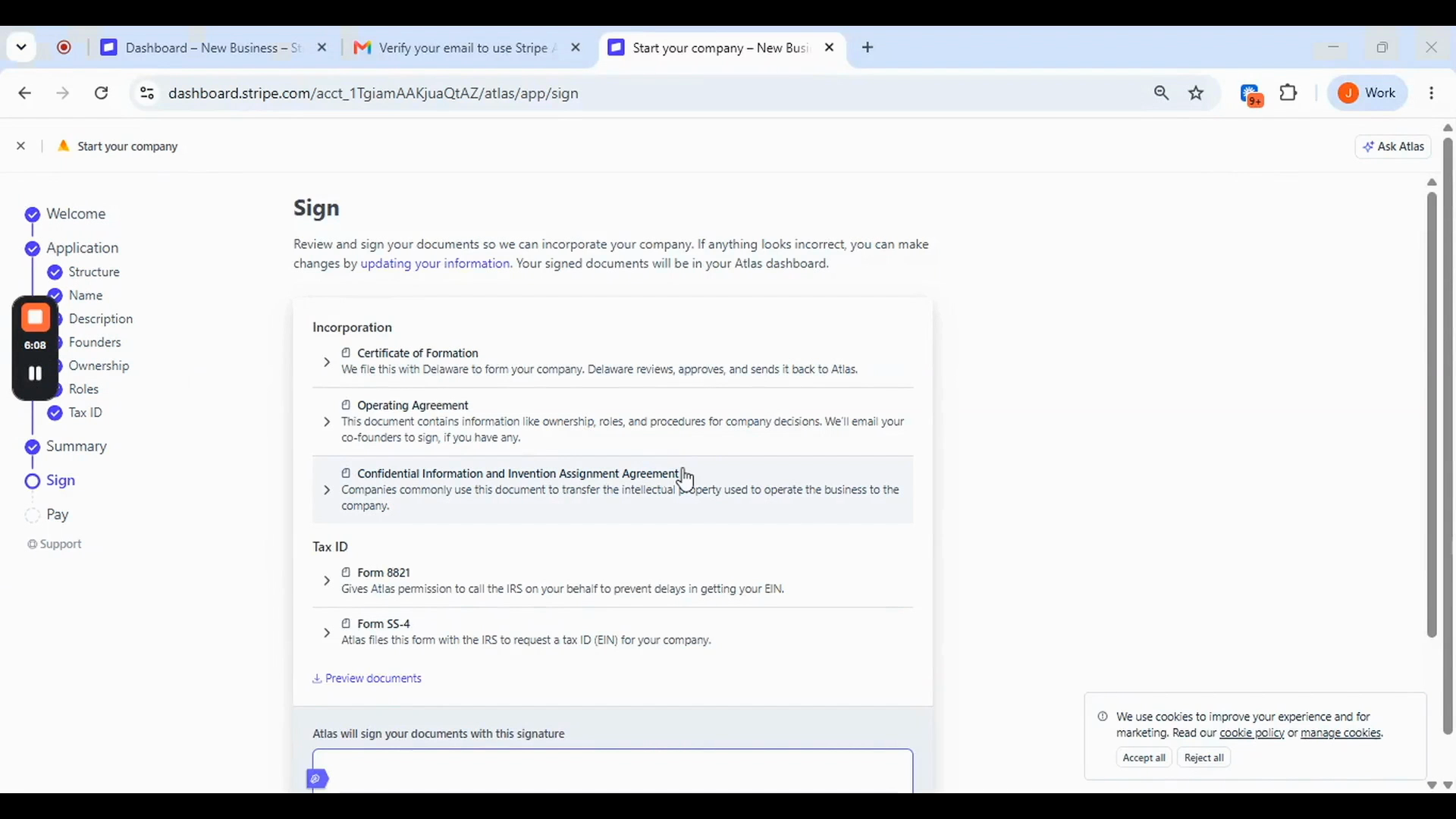
Atlas automatically generates all legal documents: Certificate of Formation, Operating Agreement, IP Assignment Agreement, and your EIN application forms. Preview the documents, type your full name to sign, and click Next.
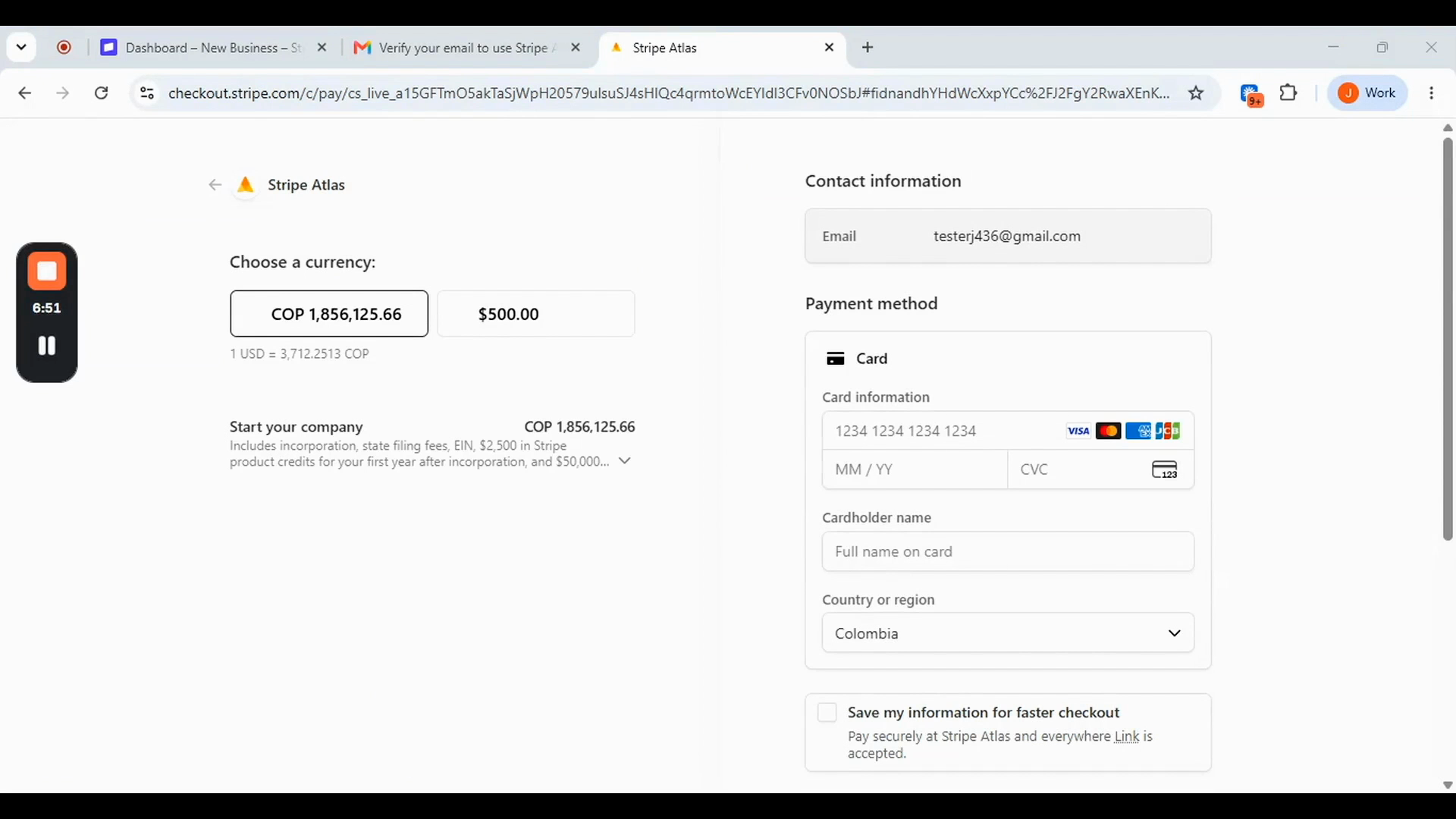
The $500 fee is shown in your local currency. It covers your Delaware LLC incorporation, state filing fees, EIN application, first year of registered agent service, $2,500 in Stripe product credits, and $50,000 in partner discounts. Payment accepts card, Apple Pay, Google Pay, and Link.
Step 12 — After Payment
Your Delaware LLC is incorporated within 1 to 2 business days. Once incorporated, go to the Overview tab in your Atlas Dashboard and click Activate under Charge your first customers to enable Stripe payments immediately. You can also open your Mercury bank account directly from the dashboard — your details are pre-filled. Your EIN will be added to your account automatically by Stripe when it arrives in 3 to 5 weeks. You will receive an email confirmation — no action required.
No. Tick 'I do not have an SSN' on the Tax ID screen and the field disappears. You do not need an ITIN to complete and submit the application.
Yes. You can activate Stripe payments immediately after your LLC is incorporated — typically within 1 to 2 business days of payment. You do not need to wait for your EIN.
Stripe notifies you by email and in your Atlas Dashboard when your EIN arrives. It is added to your Stripe account automatically — no action required.
Mercury is the recommended option. It is an official Stripe Atlas partner, accepts non-US residential addresses, and is accessible directly from your Atlas Dashboard with your details pre-filled.
Atlas does not handle your ongoing compliance or tax filings. You are responsible for the $300 Delaware annual LLC tax due June 1 each year — this is a fixed deadline for all Delaware LLCs — plus any tax obligations in your country of residence. Tax and compliance partners are available in the Perks section of your Atlas Dashboard.
